Task ManagementPro
Pro
Manage projects, track tasks, schedule events, and collaborate effortlessly.
Preview
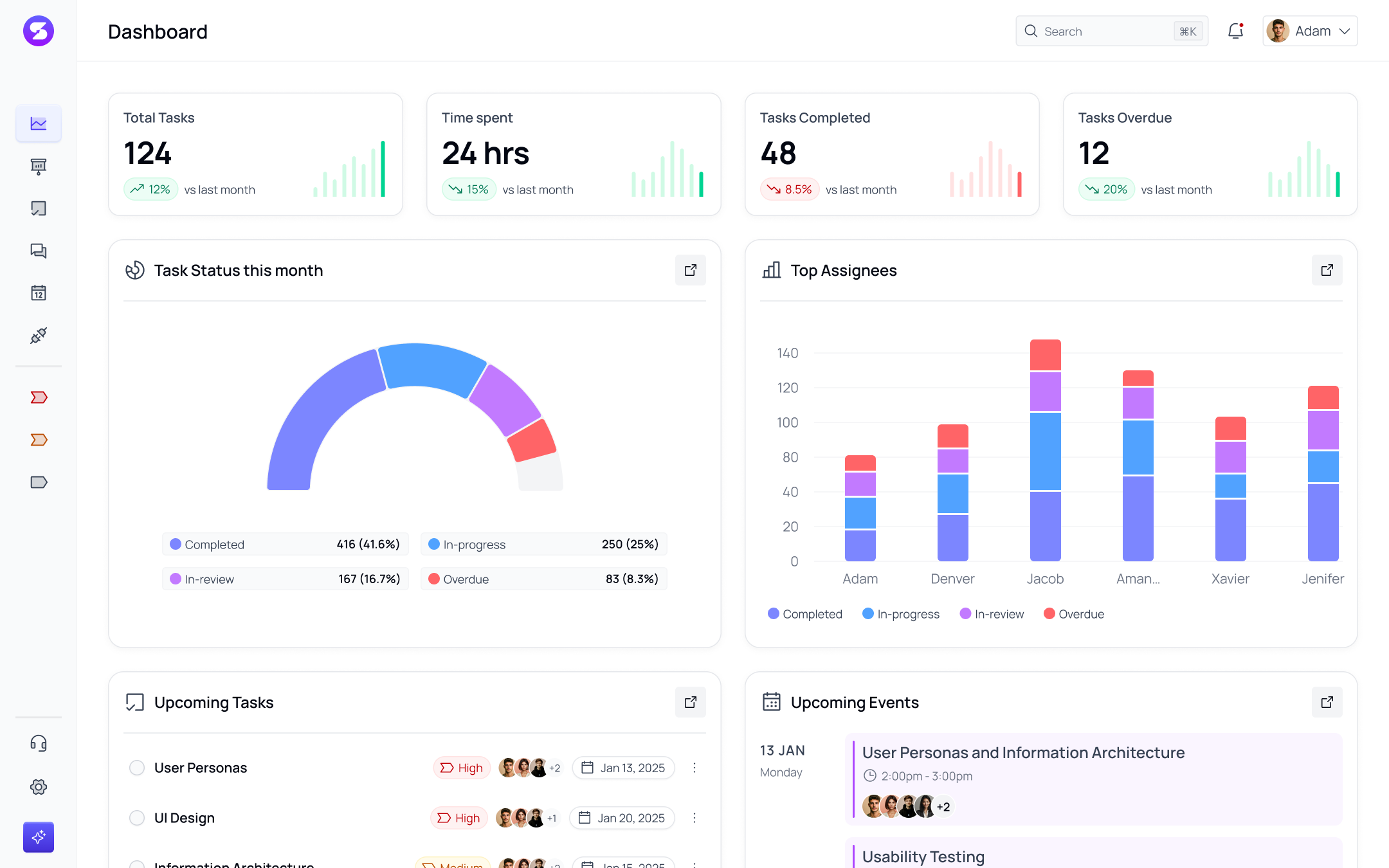
Included Pages
This template includes 7 fully featured pages, all unified under a single navigation shell:
- Dashboard — Workspace overview with metrics cards, task status charts, team workload breakdown, upcoming tasks, and activity feed.
- Projects — Browse all active projects with status flags, progress bars, and team assignees. Each project opens into detailed tabs for Overview, Tasks, Discussions, Members, and Files.
- Tasks — Manage tasks across Table, Kanban, and Calendar views with filtering, sorting, and status indicators.
- Messages — Threaded conversations with chat panels, file attachments, and active status badges.
- Events — Calendar scheduler with list and monthly grid views, date navigation, and color-coded priorities.
- Integrations — App directory with category filters and connection controls for third-party services.
- Settings — Configuration panel for profile, password, subscription, notifications, and workspace management.
Key Features
- Shared Navigation Shell — Side navigation and top bar persist across all pages for a seamless experience.
- Client-Side Routing — Pages switch instantly without full page reloads.
- Responsive Layout — Collapsible sidebar on desktop and slide-out drawer on mobile.
- Theme-Aware Styling — All colors, typography, and effects adapt to the active brand theme.
Source Code
Browse the complete template source files below. Select a file from the tree to view its code:
Loading...
Usage
Render the template inside your React page or route layout:
import React from 'react';
import { TaskManagementApp } from '@versaui/ui/templates/task-management';

export default function App() {
    return (
        <div className="w-full min-h-screen">
            <TaskManagementApp initialPage="dashboard" />
        </div>
    );
}