Access ManagementPro
Pro
Manage user activites, identities and access at scale.
Preview
Included Pages
This template includes 10 fully featured sections and pages, unified under a single responsive dashboard shell:
- Dashboard — Workspace overview with metrics cards, user login by country world map, frequent users bar chart, device usage donut chart, login attempts stacked bar chart, and average login time line chart.
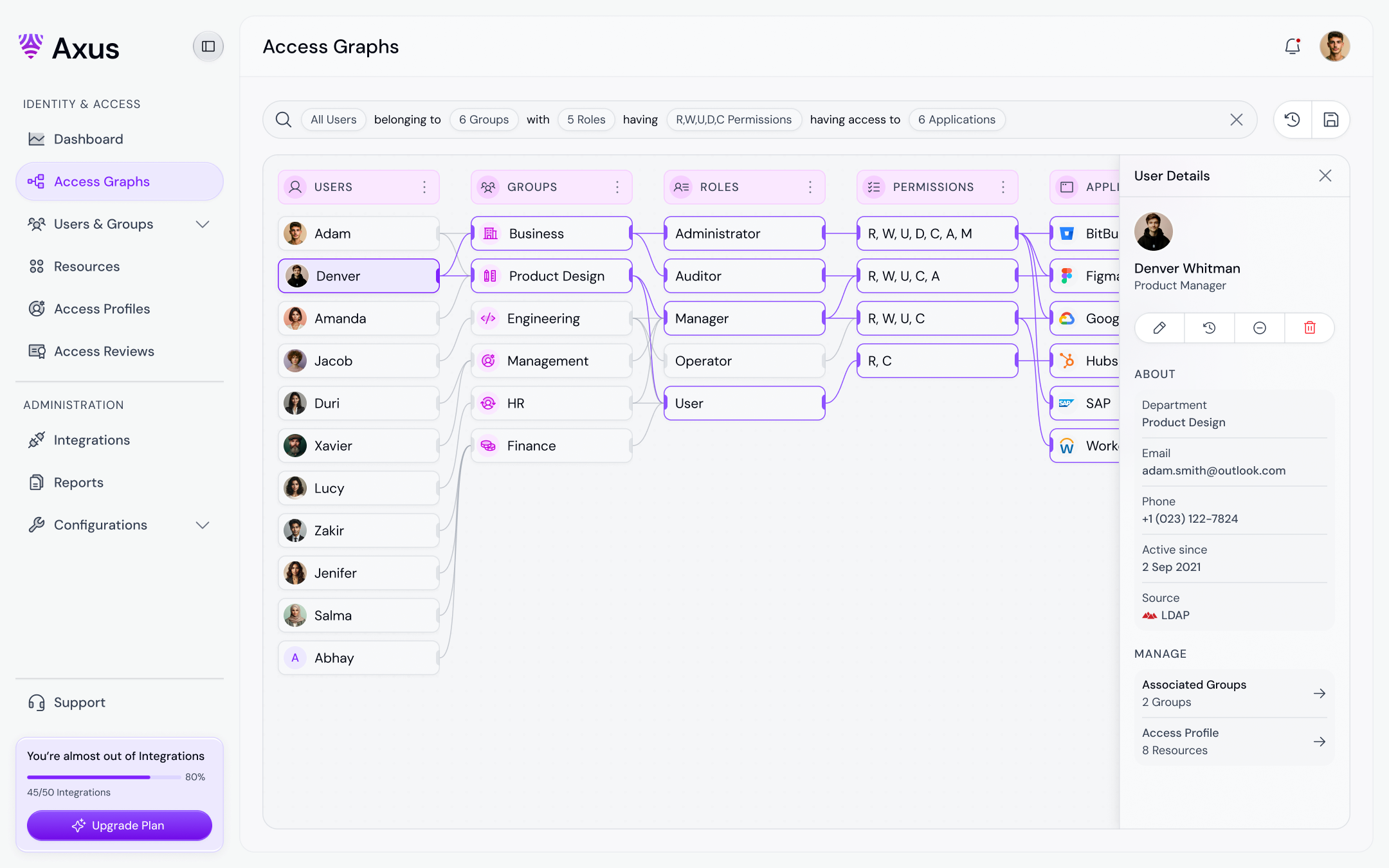
- Access Graphs — Dynamic access tree visualizer and hierarchy explorer.
- Users & Groups — Detailed directory list to manage users, groups, and assigned security profiles.
- Resources — List resource assets, permission bounds, and directory objects.
- Access Profiles — Manage security credentials, access levels, and authentication options.
- Access Reviews — Audit campaigns, certification status, and access compliance.
- Integrations — Directory and cloud integrations directory.
- Reports — System reports, logs, and activity audit trails.
- Configurations — Global policy configurations.
- Settings — Admin account and system configurations.
Key Features
- Shared Navigation Shell — Side navigation and top bar persist across all pages for a seamless experience.
- Client-Side Routing — Pages switch instantly without full page reloads.
- Responsive Layout — Collapsible sidebar on desktop and slide-out drawer on mobile.
- Theme-Aware Styling — All colors, typography, and effects adapt to the active brand theme.
Source Code
Browse the complete template source files below. Select a file from the tree to view its code:
Loading...
Usage
Render the template inside your React page or route layout:
import React from 'react';
import { AccessManagementApp } from '@versaui/ui/templates/access-management';

export default function App() {
    return (
        <div className="w-full min-h-screen">
            <AccessManagementApp initialPage="dashboard" />
        </div>
    );
}